
Today’s Menu (30-second skim)
- New Android malware uses AI to steal bank logins and PINs: A fake Android app can watch your screen, tap buttons, and help thieves break into bank accounts.
- Revolut customers get phishing texts after a sensitive data breach: Scam texts can look more believable when criminals already have real personal details.
- Google Pixel owners are urged to install a security update for an actively exploited phone flaw: Pixel owners should install the latest security update because one phone flaw may already be used in targeted attacks.
1) New Android malware uses AI to steal bank logins and PINs

What happened (plain English): Researchers found a new Android banking Trojan called RatHat. People are being tricked with scam texts or ads that send them to fake download pages. Some of those pages pretend to offer streaming apps or even Chrome. If someone installs the fake app, it asks for powerful phone permissions that can let it read the screen, tap buttons, and steal bank logins, one-time codes, and screen-lock PINs. The scary new part is that it can use an AI assistant to decide where to tap or scroll, instead of only following a simple script.
Why it matters to you: Your phone is often the key to your money, your email, and your identity. If a fake app can control the phone while you open your bank app, a thief may be able to watch and act at the same time. For example, the malware could read a one-time code from a text message and use it before you notice anything is wrong. It could also tap through bank screens while pretending the phone is just being slow or glitchy.
How to protect yourself (do this):
- Only install Android apps from the Google Play Store or another app store you already trust.
- Be very suspicious if an app asks you to turn on Accessibility, Developer Options, or Wireless Debugging.
- If your phone starts acting strangely after installing an app, uninstall it, run a security scan, and call your bank from the number in the official app or on your card.
Published: 2026-09-18
Source: Malwarebytes
2) Revolut customers get phishing texts after a sensitive data breach
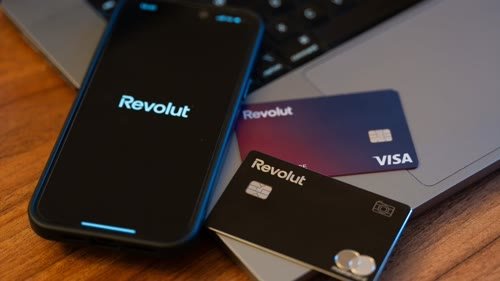
What happened (plain English): Revolut acknowledged that sensitive customer records were shared with an unauthorized party after fraudulent government-style requests. The exposed information reportedly included contact details, IDs, selfies, account statements, and transaction histories for affected customers. Days later, some customers reported phishing texts that appeared in the same message thread as real Revolut texts. That makes the scam feel much more believable because it looks like it came from a place the customer already trusts. One fake page reportedly asked for camera access, copied Revolut’s identity check, and then asked for a password.
Why it matters to you: A scammer with real personal details can sound like a real bank employee. They might mention your name, account activity, or identity documents to make you lower your guard. For example, a fake text could say your account is locked and ask you to verify yourself with your camera. Another scam could collect your password and selfie, then use them to try account recovery or identity fraud.
How to protect yourself (do this):
- Do not tap links in surprise bank texts, even if they appear in a familiar message thread.
- Open the Revolut app yourself and check messages or alerts there.
- Never give a website camera access for a bank check unless you started inside the official banking app.
Published: 2026-09-17
Source: Malwarebytes
3) Google Pixel owners are urged to install a security update for an actively exploited phone flaw

What happened (plain English): Google’s September Pixel update fixed 110 security issues. One of them is a modem flaw tracked as CVE-2026-58704. The modem is the part of the phone that handles calls, texts, and mobile data. Google says this flaw may already be used in limited, targeted attacks. Pixel phones should be updated to the September 5, 2026 security patch level or later.
Why it matters to you: This does not mean every Pixel phone can be hacked instantly. But phone bugs like this can become more dangerous when attackers combine them with other tricks, like phishing messages or malicious links. For example, a criminal might target a specific person and use several weaknesses together to get deeper access. Regular people often delay updates, which gives attackers more time to use known flaws.
How to protect yourself (do this):
- On a Pixel, go to Settings, then Security & privacy, then System & updates, then Security update.
- Install the update and restart the phone.
- After updating, check that the Android security update level says September 5, 2026 or later.
Published: 2026-09-16
Source: Malwarebytes
Grandma’s Firewall

This week’s simple rule:
When a message or app asks you to prove who you are, share a code, turn on a phone setting, or use your camera, stop and go through the real app yourself.
Two scripts you can steal:
- I’m not going to use this link. I’ll open the app myself and check there.
- I don’t turn on special phone permissions for a message. If this is real, I’ll call the company using the number I already trust.
![Human In[Security] Die-cut stickers](https://humaninsecurity.com/wp-content/uploads/2026/01/die-cut-stickers-satin-6x6-front-697d1d26150e0-300x300.jpg)
![Human Network In[]Security Cotton Heritage MC1082 I Men's Premium Short Sleeve Tee](https://humaninsecurity.com/wp-content/uploads/2026/01/cotton-heritage-mc1082-i-mens-premium-short-sleeve-tee-vintage-white-front-697d1df2a58b4-300x300.jpg)
![Official Human In[Security] Unisex Hoodie](https://humaninsecurity.com/wp-content/uploads/2026/01/cotton-heritage-m2580-i-unisex-premium-pullover-hoodie-carolina-blue-front-697d24c26e85b-300x300.jpg)