
Today’s Menu (30-second skim)
- Gmail phishing: Fake “security alert” notifications trick users into revealing passwords and unlocking phone access — millions targeted
- WhatsApp malware delivery: Attackers use phishing messages to distribute VBS malware that bypasses antivirus detection
- Innovative Scientific Solutions breach: Medical testing lab exposed SSNs, driver’s licenses, medical records, and financial information
1) Gmail Phishing: Fake “Security Alert” Notifications Target 1.8 Billion Users
What Happened
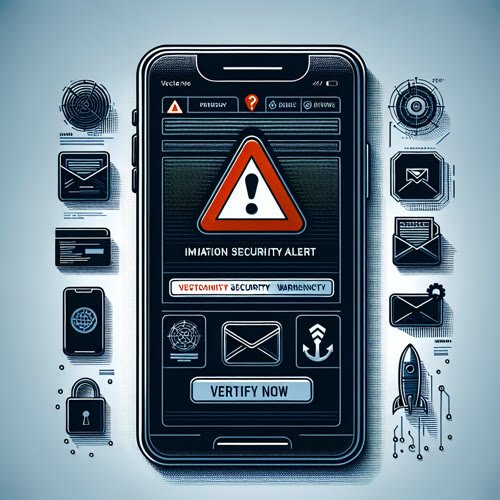
A widespread phishing campaign is targeting Gmail users with fake security notifications. The scam emails impersonate Google’s “suspicious sign-in prevented” alerts—the same legitimate notifications Google sends when it blocks unauthorized login attempts. The fake alerts contain a button or link that appears to lead to Google’s account recovery page, but actually redirects to a fake login page designed to steal usernames, passwords, and phone numbers. Once attackers capture credentials, they attempt to take over the real Gmail account and gain access to the victim’s phone if two-factor authentication (2FA) codes are intercepted.
Why It Matters to You
Gmail is the master key to your digital life. If someone gains access to your Gmail account, they can reset passwords for every other service you use (banking, email, social media, shopping), intercept two-factor authentication codes, and lock you out of your own account. The phishing emails are particularly dangerous because Google does send legitimate “suspicious sign-in” alerts, making it hard to distinguish real warnings from fake ones. Victims who reuse passwords across multiple sites face an even greater risk—attackers can use the stolen Gmail password to access banking, shopping, and other accounts.
How to Protect Yourself
- Never click a link in an email about account security. Instead, go directly to gmail.com or myaccount.google.com by typing the URL in your browser and checking your account directly.
- Be suspicious of any email that creates urgency (“act now,” “verify immediately,” “your account will be deleted”). Google rarely sends time-sensitive credential requests via email.
- Enable two-factor authentication (2FA) on your Google account immediately. Go to myaccount.google.com → Security → 2-Step Verification and turn it on. This stops attackers even if they steal your password.
- Review your Google Account activity in Settings → Security → Your devices to see where you’ve logged in from. If you see locations you don’t recognize, sign out of all other sessions immediately.
- If you clicked a phishing link and entered your password, change it right now from a different device. Then review all connected services for unauthorized activity.
- Report the phishing email to Google: forward it to reportphishing@google.com.
Published: April 22, 2026
Source: Daily Mail
2) WhatsApp Malware Campaign: Phishing Messages Deliver VBS Malware
What Happened
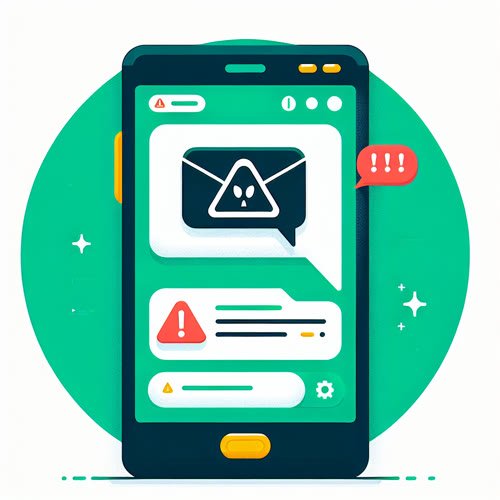
Microsoft security researchers have identified a new phishing campaign using WhatsApp messages to deliver malware. Attackers send WhatsApp messages containing links or file attachments that, when clicked, download a malicious Visual Basic Script (VBS) file. If the victim opens the file, it installs a hidden backdoor on their computer and creates renamed versions of legitimate Windows utilities to avoid antivirus detection. The malware retrieves additional payloads from cloud storage services (AWS, Tencent Cloud, Backblaze B2) to establish persistence and give attackers long-term access to the compromised system.
Why It Matters to You
WhatsApp is a trusted platform, making phishing attacks sent through it more convincing than random spam emails. If you open a malicious file from what appears to be a message from a friend or contact, you may not suspect it contains malware. Once installed, the malware can steal files from your computer, capture passwords, access your camera or microphone, or use your computer to launch attacks on others. The fact that it uses legitimate cloud services to host payloads means traditional antivirus software may not catch it—the malware appears to be downloading files from trusted companies.
How to Protect Yourself
- Never download files from unexpected WhatsApp messages, even if they appear to come from contacts you know. If a friend sends you an unusual file, call them and confirm they actually sent it.
- Be suspicious of WhatsApp messages containing links to external websites or files, especially if they ask you to download something or “verify” your account.
- Keep Windows updates current. Go to Settings → Update & Security → Windows Update and check for the latest patches. Many malware attacks exploit known vulnerabilities that patches fix.
- Use a reputable antivirus program and keep it updated. Windows Defender (built into Windows) provides basic protection, but third-party antivirus software may catch additional threats.
- If you open a suspicious file, do not ignore antivirus warnings. If your antivirus flags a file as malware, trust it—do not override the warning or mark it as safe.
- Consider disabling the execution of Visual Basic scripts on your computer if you don’t use VBS files for work. This prevents one common attack vector.
Published: April 21, 2026
Source: KnowBe4 (via Microsoft Security Blog)
3) Innovative Scientific Solutions Breach: Medical Testing Lab Exposes Patient Data
What Happened
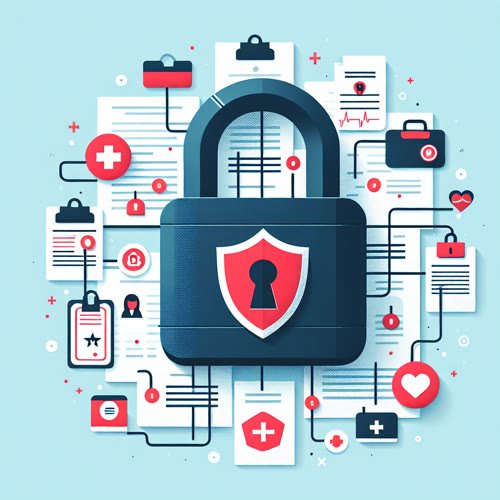
Innovative Scientific Solutions, which operates medical testing and research facilities as “Luxor Scientific” in South Carolina and Texas, disclosed a data breach affecting patient records. The company discovered on September 6, 2025 that its systems had been compromised, but did not identify the full scope of the breach until March 31, 2026—nearly seven months later. The exposed data includes names, dates of birth, Social Security numbers, driver’s license numbers, health insurance policy numbers, medical diagnoses, treatment information, prescription details, and financial account information. Patients received notification letters beginning April 7, 2026.
Why It Matters to You
If you’ve had medical testing done at a facility using Innovative Scientific Solutions or Luxor Scientific, your most sensitive personal information is now in criminal hands. The data combination is particularly dangerous: SSN + medical history + financial accounts gives scammers everything they need to file fraudulent insurance claims, open medical accounts in your name, or apply for loans using your identity. The seven-month delay between breach and discovery means attackers likely had months to copy and sell the data on dark web marketplaces. Medical identity theft can take years to uncover and even longer to resolve.
How to Protect Yourself
- If you received a breach notification letter from Innovative Scientific Solutions or Luxor Scientific, read it carefully and follow the instructions for free credit monitoring and identity protection services. Use all provided services for at least one year.
- Place a credit freeze with all three credit bureaus (Equifax, Experian, TransUnion) immediately. A credit freeze prevents scammers from opening new accounts in your name. It’s free and can be done online at each bureau’s website. Verify the freeze is in place by attempting to open a credit account—you should be denied unless you temporarily lift the freeze.
- File your 2026 tax return as soon as you have all your documents. Scammers with SSNs often file fake tax returns before you do. Filing first ensures you claim your refund first.
- Monitor your medical insurance for fraudulent claims. Request an Explanation of Benefits (EOB) statement for the past six months and review every service listed. Report any services you did not receive to your insurance company immediately.
- Request a copy of your medical records from all healthcare providers you’ve used. Review them for any entries you did not authorize or treatments you never received. Report fraudulent entries to the provider and your insurance company.
- Monitor your credit reports for fraudulent accounts. You can request free annual credit reports at annualcreditreport.com (the only official site). If you see fraudulent accounts, file a dispute with the credit bureau.
- Watch for follow-up scams. Scammers now use real breaches as cover to solicit sensitive information from victims via emails or phone calls pretending to be from the affected company or related financial institutions.
Published: April 25, 2026
Source: ClassAction.org
👏 Grandma’s Firewall

This Week’s Rule: If an email or WhatsApp message tells you to log in, verify your account, or confirm your identity, never click the link in the message. Always go directly to the company’s official website (or app) and check from there. If there’s a real problem with your account, it will show up when you log in the legitimate way.
Why it works: This week’s three stories all share a common thread—phishing, malware delivery, and credential theft. They all start with one moment: you clicking a link from someone else and entering your information. If you never click email or message links to log in, you avoid the vast majority of these attacks. Real companies never need you to click a link to log in—they want you to come to their website or app directly.
Script 1 — What to say when you get a “log in now” email or message:
“I’m not clicking this link. I’m going directly to [company name] myself—either by typing the website in my browser or opening the official app. If there’s a real problem with my account, it will show up when I log in the right way.”
Script 2 — What to tell a family member who already clicked a phishing link or opened a suspicious file:
“Stop. Did you enter your password or open a file? If yes, we need to act now: change that password immediately from a different device, and if you opened a file, run your antivirus scan. If no, just close the page and don’t worry about it.”
Forward this to one person who might fall for these scams. That’s this week’s mission.
— Philip | Human In[Security]
![Human In[Security] Die-cut stickers](https://humaninsecurity.com/wp-content/uploads/2026/01/die-cut-stickers-satin-6x6-front-697d1d26150e0-300x300.jpg)
![Human Network In[]Security Cotton Heritage MC1082 I Men's Premium Short Sleeve Tee](https://humaninsecurity.com/wp-content/uploads/2026/01/cotton-heritage-mc1082-i-mens-premium-short-sleeve-tee-vintage-white-front-697d1df2a58b4-300x300.jpg)
![Official Human In[Security] Unisex Hoodie](https://humaninsecurity.com/wp-content/uploads/2026/01/cotton-heritage-m2580-i-unisex-premium-pullover-hoodie-carolina-blue-front-697d24c26e85b-300x300.jpg)