
Today’s Menu (30-second skim)
- Aura (identity protection service): ShinyHunters breach exposes 900K contacts including customer names, emails, and addresses
- Google Android: new 24-hour waiting period before installing unverified apps — here’s why it matters to you
- Marquis breach: 672K people get breach letters about stolen SSNs and financial account data from US bank tech provider
1) Aura breach: an identity protection company got hacked — irony included
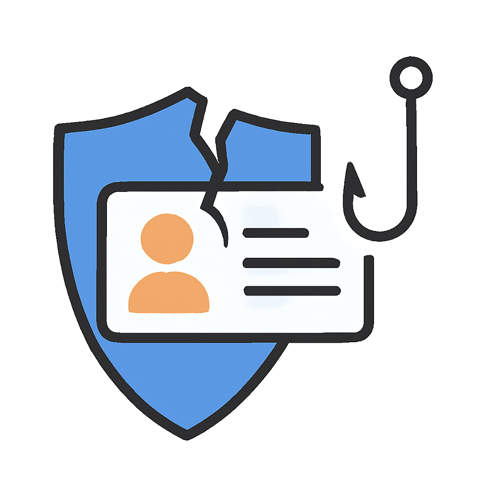
What happened (plain English): Aura — a company that sells identity theft protection, credit monitoring, and online security tools — confirmed this week that ShinyHunters (a prolific data extortion group) stole data on nearly 900,000 people after a voice phishing attack tricked one of its employees. The stolen records include names, email addresses, home addresses, and phone numbers. Aura says Social Security numbers, passwords, and financial information were not exposed, but Have I Been Pwned analyzed the leaked files and confirmed over 900,000 email addresses in its database.
Why it matters to you: This is the security company equivalent of a locksmith getting robbed. If you use Aura — or any identity protection service — this is a reminder that no service is immune to breaches. The exposed contact info (names, addresses, emails, phone numbers) is enough to fuel highly convincing phishing attacks, especially ones that pretend to be from Aura itself: “urgent — your account has been compromised, click here.”
How to protect yourself (do this):
- If you have an Aura account, be on high alert for any emails or texts claiming to be from Aura asking you to “verify,” “log in,” or “take urgent action.” Go directly to the Aura app or website instead.
- Do not call phone numbers included in unsolicited messages claiming to be from Aura support.
- Check Have I Been Pwned (haveibeenpwned.com) to see if your email appears in this or other breaches.
- Enable two-factor authentication on any account tied to that email address.
Published: March 19, 2026
Source: BleepingComputer
2) Google Android: new 24-hour wait before installing unverified apps — built to stop scammers
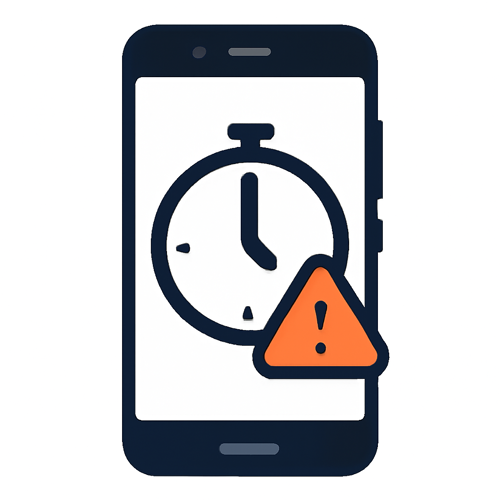
What happened (plain English): Google announced a new Android security feature that will require a mandatory 24-hour waiting period before installing apps from outside the official Play Store (unverified apps). The feature is designed specifically to combat a growing threat: scammers who pressure victims into installing malicious apps immediately — often while keeping them on the phone. The 24-hour delay forces a cooling-off period so victims have time to reconsider, and so scammers lose their window of manipulation.
Why it matters to you: You may have seen news stories about people being convinced to install “tech support” apps, “banking security” apps, or “government agency” apps that were actually remote access tools used to drain bank accounts. This scam preys on urgency and fear. The new Android feature builds a friction point directly into the operating system. If someone is rushing you to install something right now, the phone will simply wait 24 hours — and that delay often breaks the spell.
How to protect yourself (do this):
- Real companies, banks, government agencies, and tech support teams do NOT cold-call you and ask you to install an app immediately. That is always a scam.
- On Android, this protection will roll out with developer verification enforcement later in 2026. Keep your Android OS updated to receive it.
- If someone on the phone says “you need to install this app right now or your account will be closed,” hang up. Call the official number back yourself.
- Warn older relatives about this tactic — it is commonly used in IRS, Social Security, and “your account has been hacked” scams.
Published: March 19, 2026
Source: Ars Technica
3) Marquis breach: 672K people receive letters about stolen SSNs from a bank tech provider
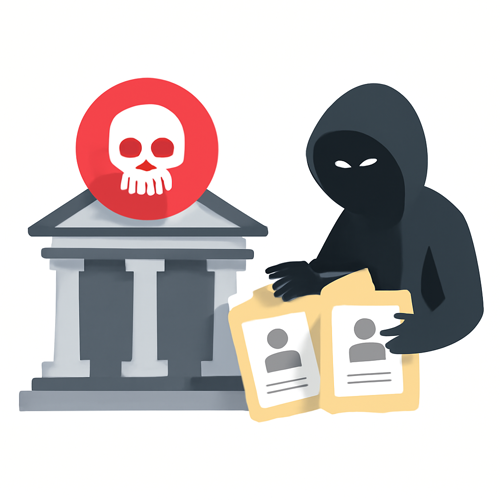
What happened (plain English): Marquis, a Texas-based company that provides digital marketing and data services to over 700 US banks, credit unions, and mortgage lenders, confirmed this week that it sent breach notification letters to 672,075 people. A ransomware gang attacked Marquis in August 2025, and the stolen data includes names, dates of birth, addresses, phone numbers, Social Security numbers, Taxpayer Identification Numbers, and financial account information. The notifications are only arriving now, months after the attack.
Why it matters to you: Most people have never heard of Marquis — but their SSN and bank account info may have been in its systems anyway, because their bank used Marquis’s services. This is how third-party vendor breaches work: the company you trust gives your data to a vendor, that vendor gets hacked, and you get a letter months later. Stolen SSNs and financial account info are the gold standard for identity fraud — tax fraud, new account fraud, and highly convincing impersonation scams.
How to protect yourself (do this):
- If you receive a breach letter from Marquis or from your bank referencing a third-party vendor incident, take it seriously. Follow the official instructions in the letter.
- Consider placing a credit freeze with Equifax, Experian, and TransUnion. A freeze is free and blocks criminals from opening new credit in your name. It is stronger than credit monitoring alone.
- Check your existing bank accounts and credit cards for unauthorized transactions.
- Be extra suspicious of calls or emails claiming to be from your bank, IRS, or Social Security Administration — they may be using recently stolen data to appear convincing.
Published: March 18, 2026
Source: BleepingComputer
Grandma’s Firewall
This week’s simple rule: If someone is rushing you to act on a security alert — by phone, email, or text — slow down. Urgency is the scammer’s most powerful tool.
Two scripts you can steal:
- “I don’t act on urgent security messages. I’m going to hang up and call the official number myself.”
- “I’ll log into the app directly and check. If it’s real, it’ll be there.”
Share this: Forward to one person who would immediately click “verify my account” in a scary email.
— Philip | Human In[Security]
![Human In[Security] Die-cut stickers](https://humaninsecurity.com/wp-content/uploads/2026/01/die-cut-stickers-satin-6x6-front-697d1d26150e0-300x300.jpg)
![Human Network In[]Security Cotton Heritage MC1082 I Men's Premium Short Sleeve Tee](https://humaninsecurity.com/wp-content/uploads/2026/01/cotton-heritage-mc1082-i-mens-premium-short-sleeve-tee-vintage-white-front-697d1df2a58b4-300x300.jpg)
![Official Human In[Security] Unisex Hoodie](https://humaninsecurity.com/wp-content/uploads/2026/01/cotton-heritage-m2580-i-unisex-premium-pullover-hoodie-carolina-blue-front-697d24c26e85b-300x300.jpg)